If you are running late for class,
please follow steps below to inform attendees.
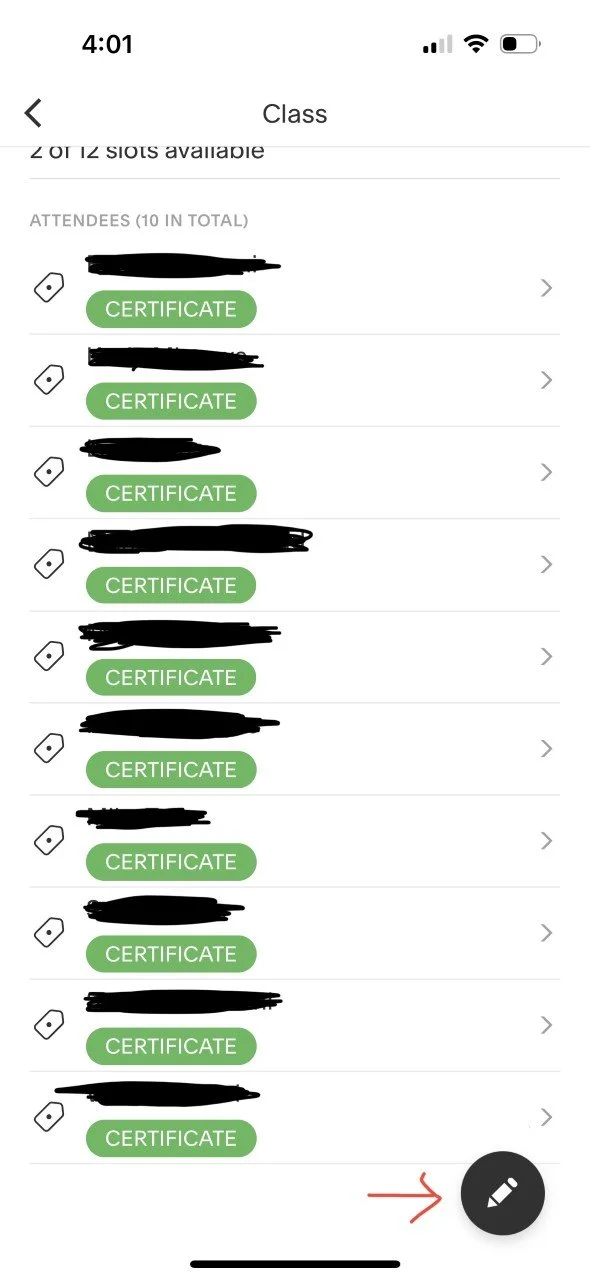
In the Acuity app, click into your class. Then click on the “Pencil” button in the bottom right corner.
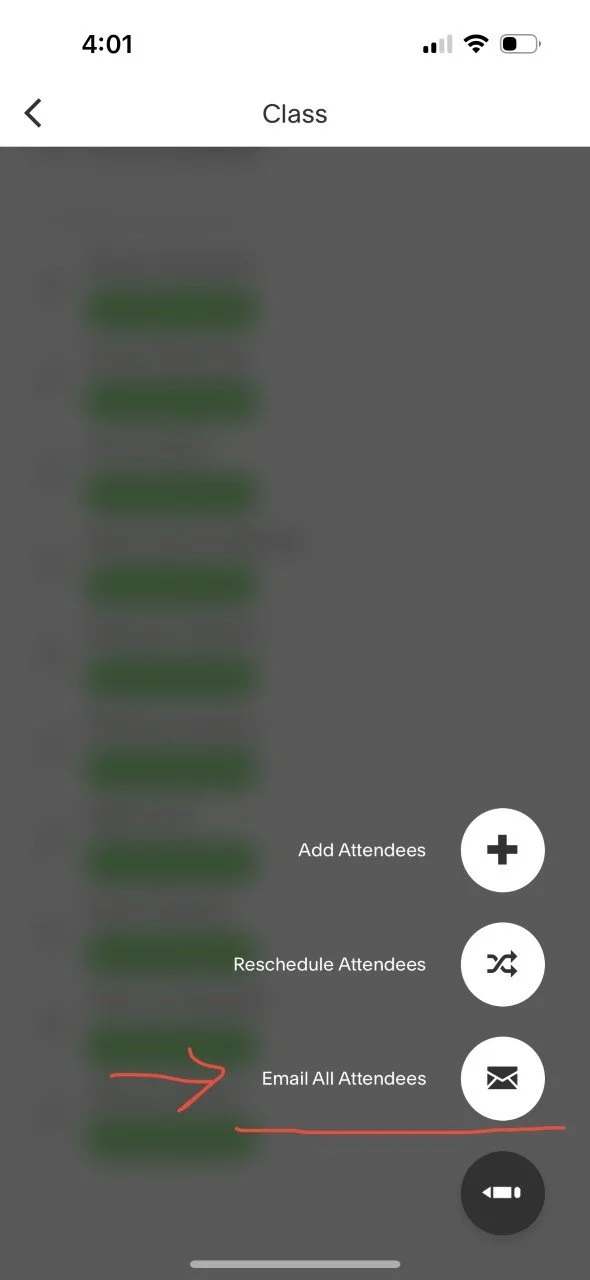
2. Click “Email All Attendees”.
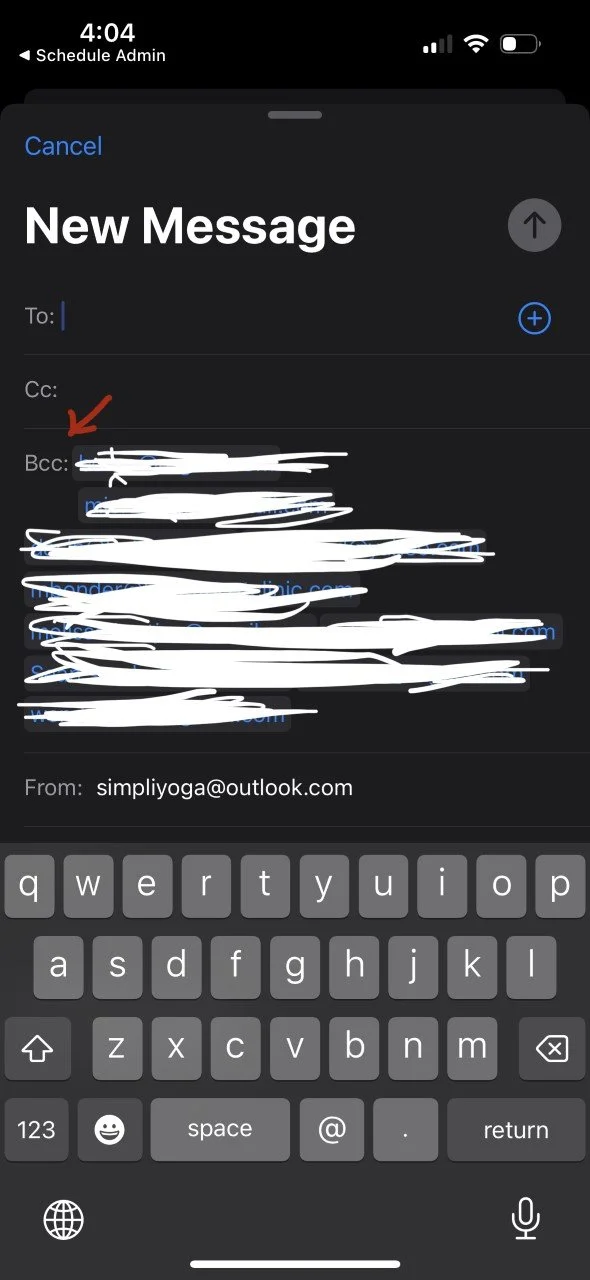
3. MAKE SURE attendees’ emails are in “Bcc:” section to protect their privacy.
Put simpilyoga@outlook.com in the “To:” section.
Then send your email message.