How to Modify Reservations
1. Using Appointment Confirmation/Reminder Email
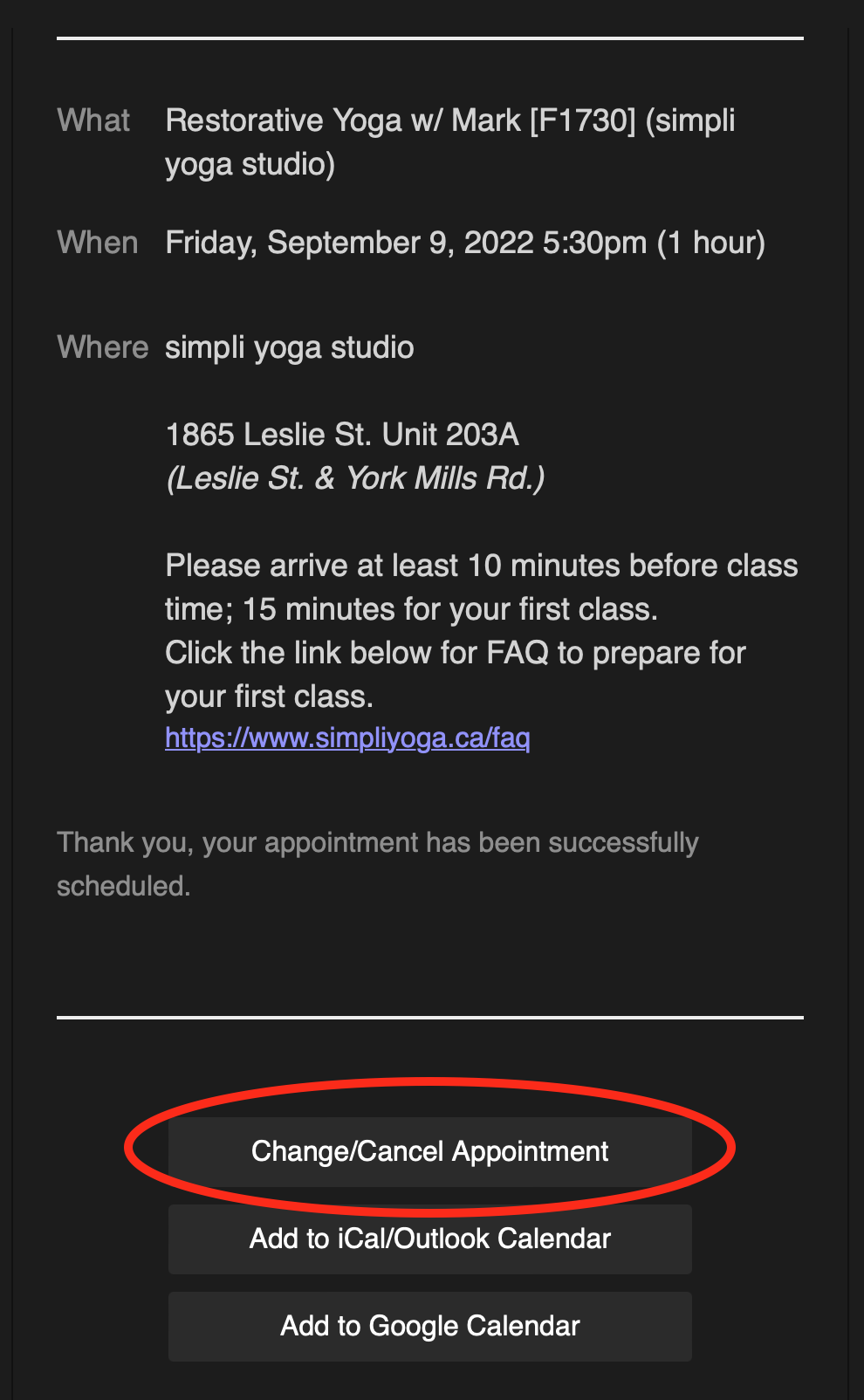
At the bottom of these emails there will be a button for “Change/Cancel Appointment”.
Click this button to open the page for modifying appointments.
2. Creating A Log-In
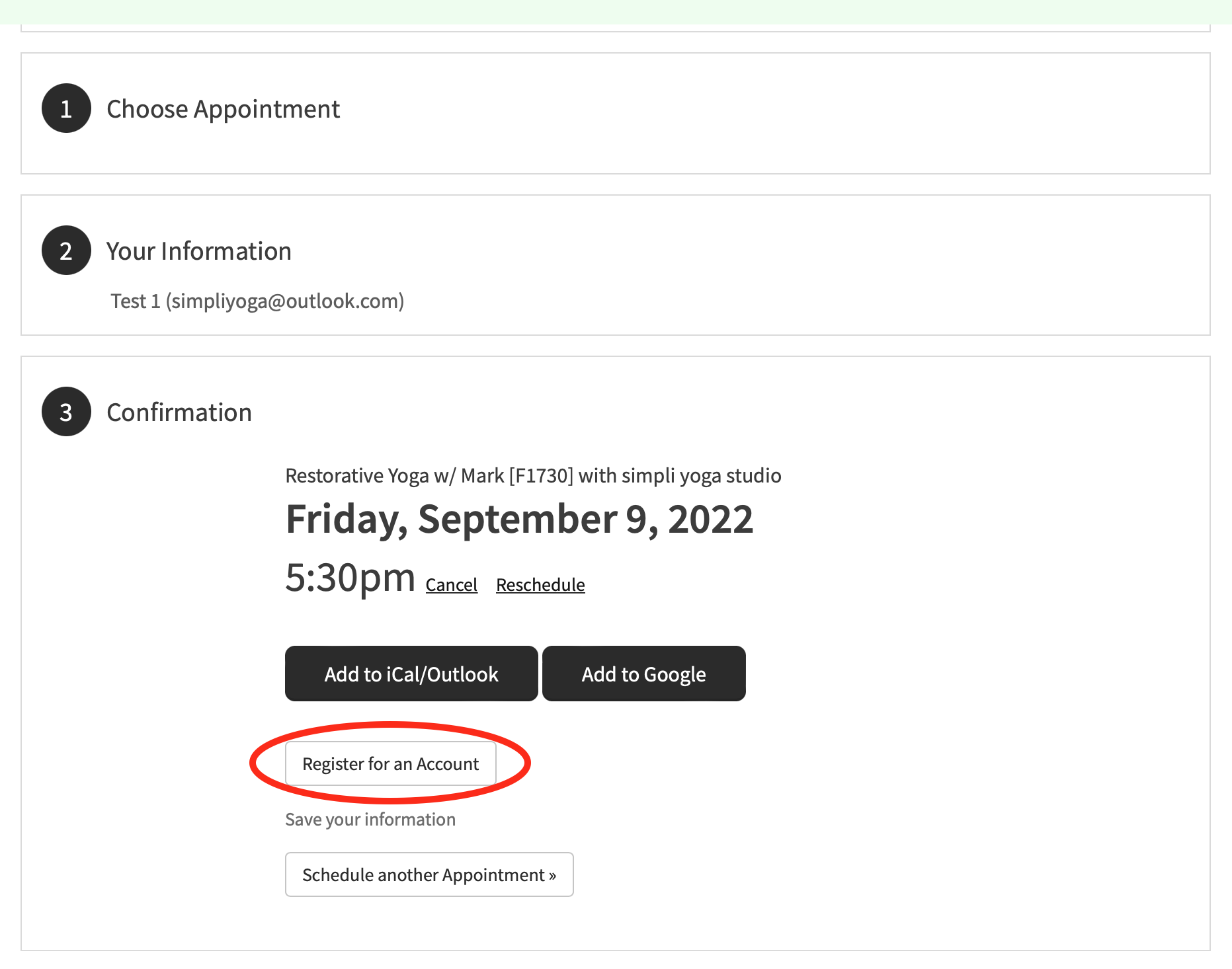
At the end of your booking session there will be a button for “Register for an Account”.
Click the button and create a password for your account.
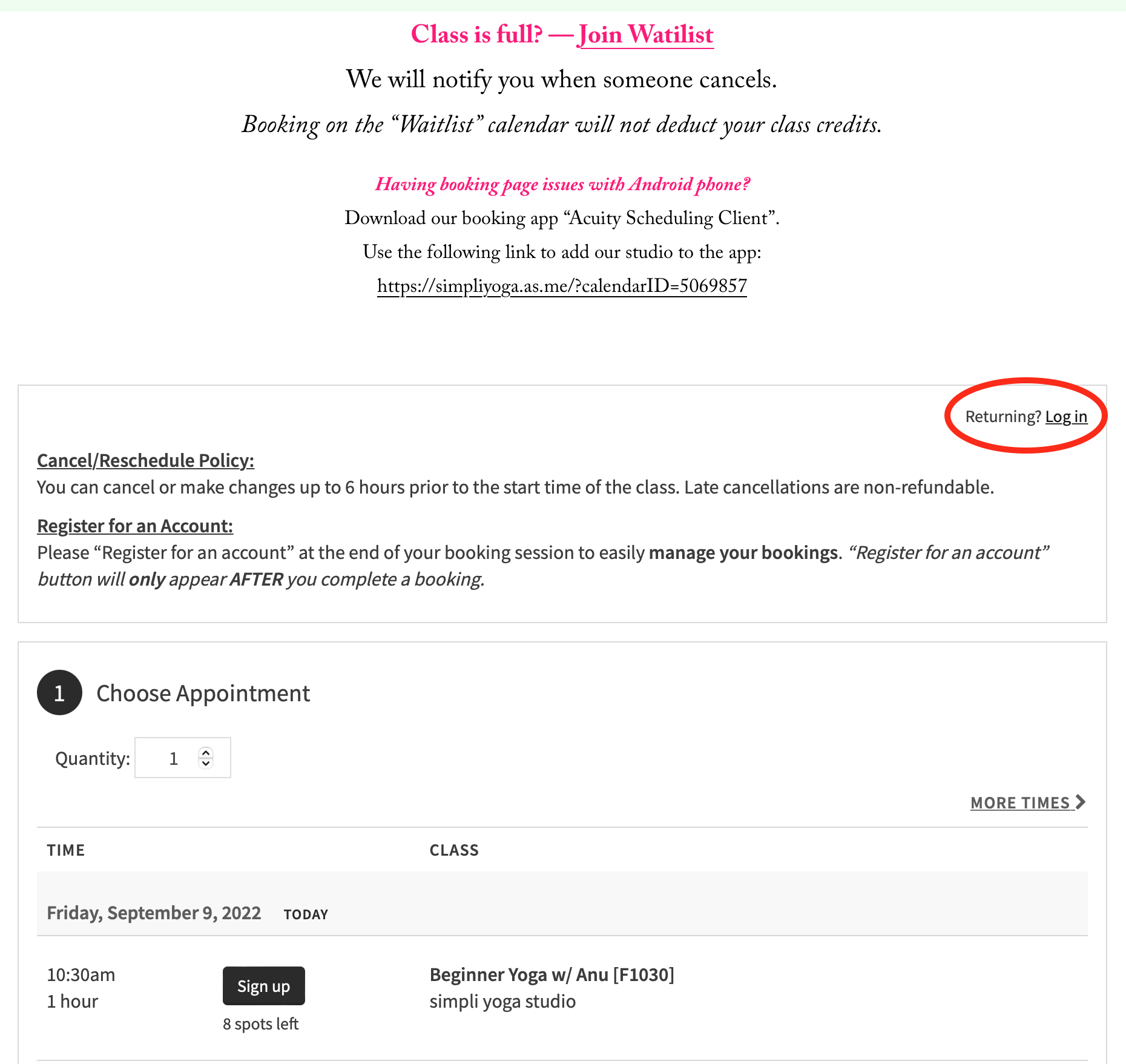
After this you will be able to log-in on our booking page to
view and modify your bookings.